
Dynamic Search Ads (DSA) campaigns let Google build your ads from your website instead of from a keyword list. Google crawls your pages, matches them to relevant searches, and writes the headline for you. They are changing now: Google is moving DSA campaigns into AI Max, so the setup you build today should be one you can carry forward.
This guide covers how DSA campaigns work, how to set one up, how DSAs compare with Responsive Search Ads (RSAs), and how to prepare for the upgrade.
TL;DR
- A DSA campaign uses your website content, not keywords, to decide when your ad shows and what the headline says.
- DSAs and RSAs are not rivals. An RSA is an ad format you write. A DSA is a targeting method that generates the headline for you. The best accounts run both.
- Control comes from page feeds, URL rules, and negative targets. Without them, DSAs wander.
- Google is upgrading DSA campaigns to AI Max, with the automatic move reported for February 2027 in U.S. accounts. Audit your structure before then.
- Keep your site clean and your tracking tight. DSAs are only as good as the pages and conversion data behind them.
Table of Contents
- What a DSA campaign is and how it works
- DSA vs RSA: what is the difference?
- How to set up a DSA campaign
- How to manage a DSA campaign once it is live
- What is changing: DSA is moving to AI Max
- Our perspective
- Industry notes: where DSAs shine and where to be careful
- Work with a team that has run these campaigns
- FAQ
- Sources
What a DSA campaign is and how it works
According to Google, Dynamic Search Ads are an automated format that uses your website content to target relevant searches without you managing keywords. Google crawls the site, matches queries to specific landing pages, and generates the headline.
The mechanics are simple:
- Google indexes your pages and looks at signals such as HTML page titles and frequently occurring phrases to decide when an ad may trigger.
- When a search looks relevant, Google picks the landing page that fits best.
- It builds a headline, drawn mainly from that page’s HTML title, and sends the searcher to that page.
Google may make small edits to text pulled from your site, such as changing capitalization or removing unsupported characters, so the ad meets editorial policies. You write the descriptions. Google writes the headline and chooses the destination.
This is why DSA campaigns reward sites with clear page titles, one topic per page, and up-to-date content. If your page title is vague, your headline will be too.
Where DSAs fit in the auction
DSAs do not sit outside the normal auction. They compete alongside standard keyword-based ads, and Ad Rank still depends on your bid, expected click-through rate, ad relevance, and landing page experience. There is no shortcut around quality.
One rule matters for account structure. In Search Ads 360, if an exact-match keyword elsewhere in the account matches a query, the platform prioritizes that keyword over relevant dynamic ad targets. That is useful: your proven keywords keep first claim on the searches you already know, and DSAs pick up the rest.
DSA vs RSA: what is the difference?
People search “DSA vs RSA” as if they were choosing between two products. They are two different layers of the same campaign.
| Dynamic Search Ads (DSA) | Responsive Search Ads (RSA) | |
|---|---|---|
| What it is | A targeting method driven by your website | An ad format built from assets you write |
| Who writes the headline | Google, from the landing page | You, with up to 15 headline options that Google mixes |
| How you choose when to show | Page categories, URLs, page feeds | Keywords and match types |
| Where the click lands | The page Google selects | The final URL you assign |
| Best for | Wide, well-structured sites, coverage gaps | Core services, high-value terms, tight message control |
| Main risk | Irrelevant queries and thin headlines | Missing long-tail searches you never listed |
A practical rule: use RSAs where you know exactly what people type and what you want to say. Use DSAs to catch what your keyword research missed, especially when your site has many pages, such as service lines, locations, or product detail pages.
When a DSA is the right call
- Large sites with frequent changes. Inventory, practitioner pages, or location pages change faster than anyone updates keywords.
- Gap hunting. Search term reports from a DSA campaign show queries real customers use that you did not list. Those terms are often worth moving into an exact-match campaign with a hand-written RSA.
- Thin teams. A well-scoped DSA gives you coverage without a thousand-keyword build.
When to stay with RSAs
- Regulated or sensitive messaging. Healthcare, legal, and financial advertisers often need to approve every claim. Auto-generated headlines give you less control. Our Google Ads for doctors playbook and Google Ads for dentists guide show how we handle that tension.
- Branded and high-intent terms. Where one wrong headline costs real money, write the ad yourself.
- New or thin sites. If your pages are sparse, a DSA has little to work with.
How to set up a DSA campaign
Google’s setup guidance says you need a Search campaign with a dynamic ad group, your website domain and language, and a targeting choice: URL rules, categories, or page feeds. Here is the order we follow.
Step 1: Prepare the website
Before you touch the account, fix the inputs. Check that each important page has a unique, descriptive HTML title. Remove or noindex pages you never want to advertise, such as thank-you pages, login screens, and outdated offers. Confirm the site loads fast on mobile, because landing page experience feeds Ad Rank.
Step 2: Create the campaign and dynamic ad group
Start a Search campaign, then add a dynamic ad group with your domain and language. Keep the first campaign narrow. One campaign per service line is easier to read than one campaign for the entire site.
Step 3: Choose targeting
You have three main options:
- All web pages. Widest reach, least control. Use it only with a strong set of negatives.
- Categories. Google groups your pages by topic. Good for a first pass.
- Page feeds. You upload the URLs you want to advertise, optionally with custom labels. Page feeds let you name the exact URLs to target, which is the best control you get with DSAs. Google Ads allows up to 100 page feeds per account for DSA targeting.
For developers, the Google Ads API now defines dynamic ad targets with five operands: URL, category, page title, page content, and custom label, using equals or contains operators, according to PPC Land’s October 2026 report.
Step 4: Write descriptions and add exclusions
You write the description lines, so make them carry the value proposition, the proof, and the call to action. Then add negatives. Add negative dynamic ad targets for pages you do not want to promote, plus negative keywords for irrelevant queries as the search term report reveals them.
Watch the limits. Each account can hold up to 25,000 dynamic ad targets. If you hit the cap, Google suggests moving ad group-level negative targets to the campaign level or using page feeds.
Step 5: Give it time
Google recommends letting a new DSA campaign ramp up for at least two days after you enable a domain before judging results. In practice we wait for enough clicks to read search terms and conversions, not just two days. Avoid constant budget swings too. Google notes that frequent edits to a campaign total budget can disrupt optimization and lead to uneven spend.
How to manage a DSA campaign once it is live
A DSA campaign is not set-and-forget. The low-touch setup moves the work from keyword building to quality control.
Review search terms weekly. Sort by cost and by conversions. Add negatives for waste. Promote winners into keyword campaigns, where you can write a tailored RSA.
Audit landing pages. Because Google picks the destination, a DSA can send traffic to a page that is technically relevant but weak at converting. Look at conversion rate by landing page and exclude or fix the laggards.
Segment with custom labels. Tag high-margin pages in a page feed so you can set separate bids and budgets. A retailer might label best-selling categories. A law firm might label practice areas by case value.
Protect your brand terms. Keep exact-match brand keywords in their own campaign so DSAs do not cannibalize them.
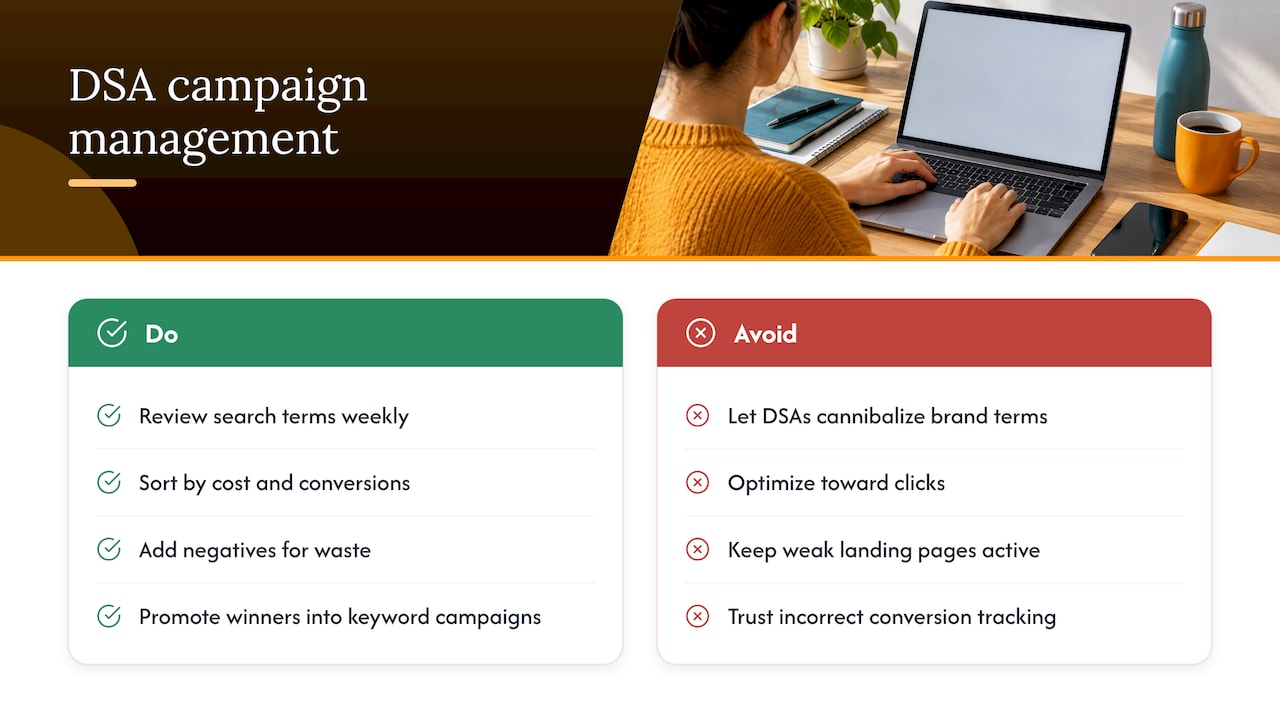
Judge by business outcomes. Track qualified leads, booked appointments, or revenue, not clicks. If your conversion tracking is wrong, automated formats will optimize toward the wrong signal.
Common mistakes
- Targeting all web pages with no negatives.
- Letting blog and careers pages draw clicks meant for service pages.
- Leaving an outdated page live on the site, so the ad promotes it.
- Judging performance after a few days of data.
- Treating the DSA as a replacement for keyword campaigns rather than a complement.
What is changing: DSA is moving to AI Max
Google announced in April 2026 that it is upgrading Dynamic Search Ads to AI Max. In that upgrade, campaigns with dynamic ad groups transition to standard ad groups, and their settings and data carry into AI Max. Google later extended the transition timeline to give advertisers more time. Its feed guidance now says U.S. campaigns using Dynamic Search Ads will be automatically upgraded to AI Max starting in February 2027. Check Google’s announcement pages for the current schedule before you plan around a date.
Here is what we would do with that information:
- Do not stop building DSAs. They still run today, and the discipline you learn (clean pages, exclusions, search term review) carries straight into AI Max.
- Clean your site now. AI Max also reads your site and your assets to find queries. Good titles and focused pages help both.
- Document your baseline. Record DSA conversions, cost per acquisition, and top landing pages today so you can compare after the switch.
- Consider running a test. Google’s help documentation describes running experiments that test AI Max against DSAs, which is the safest way to compare before the automatic move.
- Review your Performance Max overlap. Google has encouraged advertisers to upgrade eligible DSA campaigns to Performance Max and reports that those who do may see an average lift of more than 15% in conversions and conversion value at a similar CPA or ROAS. That is Google’s own figure, and results vary by account. If you go that route, our Performance Max strategy guide explains how to steer it with signals and exclusions.
Our perspective
We have managed paid search for 18 years, and the pattern holds across every automation wave: Google keeps automating the mechanics, and the winners are the teams that control the inputs.
DSAs show it clearly. The campaign does not need a keyword list, but it needs a site with sharp page titles, a page feed built around your most profitable services, and negatives that reflect your business. That is strategy work, not button work. It is also why we pair paid media with brand and website work under one roof.
We use DSAs as a discovery layer. They surface the searches your customers actually use, and we turn the best ones into hand-written RSAs with messaging that fits the brand. Then we feed that learning back into SEO and landing pages. When AI Max replaces DSAs, the same approach applies: define the guardrails, test against a baseline, and report on outcomes the business cares about.
If your paid search runs on automation you cannot explain, that is the first thing to fix.
Derek
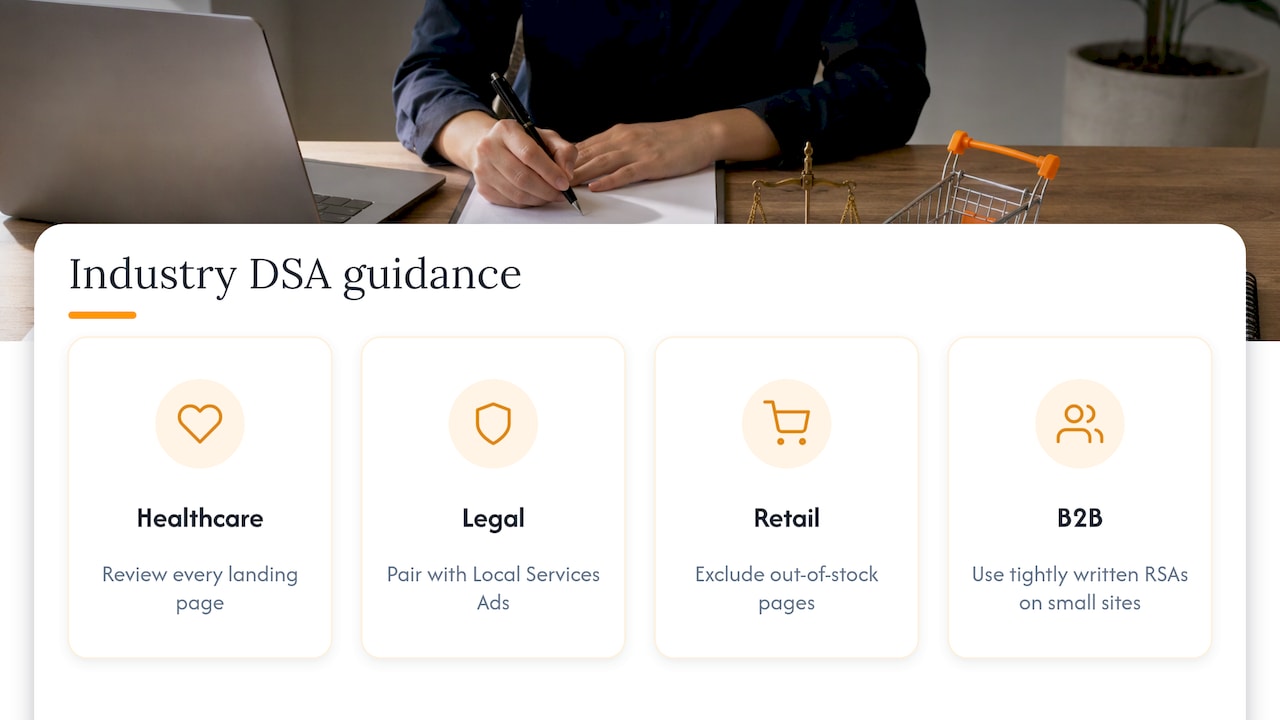
Industry notes: where DSAs shine and where to be careful
Healthcare and dental. Practices with many service and provider pages can use DSAs to cover long-tail procedure searches. Keep claims compliant, review every landing page, and use page feeds so Google does not promote pages with outdated information.
Legal. Practice area pages map neatly into page feeds with custom labels. Pair DSAs with a dedicated lead channel such as Local Services Ads for law firms so you are not relying on one format for case intake.
Retail and CPG. Large catalogs are the classic DSA use case. Label top sellers, exclude out-of-stock pages, and keep an eye on promotions that expire on the site.
Consulting and B2B. Smaller sites with a handful of service pages usually do better with tightly written RSAs. Use a DSA only when content depth supports it, and measure lead quality, not volume.
Work with a team that has run these campaigns
A DSA campaign is only as good as the strategy behind it. We build and manage Google Ads for startups through household brands: structure, page feeds, exclusions, ad copy, conversion tracking, and reporting. We also handle the site and brand work that makes automated ads perform. See how our Google Ads management works, or review our pay-per-click management service.

If you are planning for the AI Max transition, a marketing assessment is a practical first step. We will look at your account structure, landing pages, and tracking, then show you where to tighten the setup.
FAQ
Are DSA campaigns still worth running?
Yes, if you treat them as a discovery and coverage tool. They still run today and give you real search term data. Because Google is upgrading DSA campaigns to AI Max, build them with clean page targets and exclusions so the structure moves over smoothly.
Do DSAs replace keywords?
No. DSAs fill gaps around your keyword campaigns. Your exact-match keywords stay in control of the searches you know, and the DSA catches related searches your list missed. Move winning queries into keyword campaigns where you can write the ad yourself.
Can I control which pages a DSA advertises?
Yes. Use page feeds to list the URLs you want, add custom labels to group them, and apply negative dynamic ad targets for everything else. Google Ads lets you use up to 100 page feeds per account for this purpose.
How long does a DSA campaign take to show results?
Google recommends at least two days of ramp-up after enabling a domain, but meaningful conclusions usually need more data. Review the search term report first, then conversions by landing page, then adjust bids and exclusions.
What should I do before the AI Max upgrade?
Audit your page titles, record your current DSA performance, and clean up your exclusions. If you can, run an experiment that compares AI Max against your DSA so you know what to expect.
Sources
- About Dynamic Search Ads, Google Ads Help
- Create a Dynamic Search Ad, Google Ads Help
- About Dynamic Search Ads, Ad Rank, and performance, Google Ads Help
- About Dynamic Search Ads in Search Ads 360
- About campaign total budgets, Google Ads Help
- Boost your Search and Display results in Performance Max, Google Ads Help
- Use a feed to target Dynamic Search Ads and Performance Max, Google Ads Help
- We’re upgrading Dynamic Search Ads to AI Max, Google
- Dynamic Search Ads, PPC Land