
For most YouTube video ads, upload a 1080p file in the aspect ratio that fits your placement: 1920 x 1080 for horizontal, 1080 x 1920 for vertical, 1080 x 1080 for square. Then match the length to the format. Bumper ads run up to 6 seconds, standard non-skippable ads run 7 to 15 seconds, and skippable in-stream ads have no set minimum or maximum. The rest of this guide covers the details, so you can brief editors once and avoid rejected uploads.
TL;DR
- Google recommends 1080p, with 16:9 horizontal, 9:16 vertical and 1:1 square all supported. Standard definition is not recommended.
- Bumper ads cap at 6 seconds. Standard non-skippable ads run 7 to 15 seconds. Skippable in-stream ads have no minimum or maximum length.
- Shorts-style assets should be vertical and 6 to 60 seconds long. A 30-second non-skippable ad must be horizontal.
- Thumbnails should be 1280 x 720 and under 2 MB. Desktop companion banners should be 300 x 60 and under 150 KB.
- Build one master edit with safe zones, then cut every length and ratio from it.
Table of Contents
- Video size, resolution and aspect ratio
- File formats and file size
- Ad length by format
- Thumbnails, companion banners and safe zones
- Which size and format to choose
- A production workflow that avoids rework
- Measuring whether the right spec is working
- Common mistakes to avoid
- Work with a team that handles the specs for you
- Our perspective on YouTube ad specs
- FAQ
- Sources
Video size, resolution and aspect ratio
Google Ads recommends 1080p (Full HD) for YouTube video ads, and it recommends against standard definition if you want the best quality. The three supported ratios and their recommended pixel dimensions, per Google Ads Help, are:
| Orientation | Aspect ratio | Recommended size |
|---|---|---|
| Horizontal | 16:9 | 1920 x 1080 px |
| Vertical | 9:16 | 1080 x 1920 px |
| Square | 1:1 | 1080 x 1080 px |
This answers a question that comes up constantly: yes, 1920 x 1080 is the standard full HD frame for horizontal YouTube video, and it is the size to export for your widescreen ad.
Which ratio you pick matters less than whether it fits where the ad will run. Horizontal is the safest default for TV-screen and desktop viewing. Vertical belongs with mobile-first and Shorts placements. Square sits between them and is a useful fallback when you want one asset that does not look awkward in either place.
If your team can only produce one version, make horizontal. If you can produce three, you give the campaign the most eligible inventory. Google notes that following the recommended orientations and lengths lets a campaign run across all eligible inventory.
File formats and file size
Google’s recommended format is .MPG (MPEG-2 or MPEG-4). In practice most marketers upload MP4, and that is accepted. The full accepted list also includes:
- .WMV, .AVI, .MOV and .FLV
- .MPEG-1, .MP4 and .MPEGPS
- 3GPP and WebM
- DNxHR, ProRes and CineForm
- HEVC (h265)
The file-size limit is 256 GB, which no normal ad will approach. The one hard rule to remember: YouTube cannot accept standalone audio files such as MP3, WAV or PCM. If you have an audio spot, it needs a video track, even a simple branded visual.
A sensible export habit is to deliver an MP4 master at 1080p for each aspect ratio, and to name files clearly (brand, campaign, ratio, length). It sounds minor, but with a dozen cutdowns in play, naming prevents the wrong version going live.
Ad length by format
Length rules are where most spec mistakes happen, because each format treats them differently. Here is the full picture, drawn from Google’s help pages.
| Format | Length | Notes |
|---|---|---|
| Bumper | Up to 6 seconds | Non-skippable |
| Standard non-skippable in-stream | 7 to 15 seconds | Viewers see the whole message |
| Non-skippable for Connected TV | 16 to 30 seconds | Must be horizontal |
| Skippable in-stream | No minimum or maximum | Google suggests 15 to 20 seconds for awareness, 2 to 3 minutes for consideration |
| Shorts (video reach) | 6 to 60 seconds recommended | Vertical |
| Masthead | No maximum | Videos over 10 seconds recommended |
Bumper ad specs
Bumper ads are the short, non-skippable format, and Google lists them at up to 6 seconds. YouTube’s own format overview describes them as non-skippable ads of 5 to 6 seconds. The safe approach is to cut your bumper to 6 seconds or less and make sure the key message lands in the first three.
Because there is no room to tell a story, a bumper works best as one idea: a product shot, a single offer, or a brand sign-off. Think of it as a reminder that supports a longer ad, not a replacement for one.
Non-skippable in-stream ads
Standard non-skippable in-stream ads run 7 to 15 seconds. For Connected TV there is also a 30-second option, which covers 16 to 30 seconds. One requirement catches teams out: 30-second non-skippable assets must be horizontal. Square or vertical files cannot run in that format.
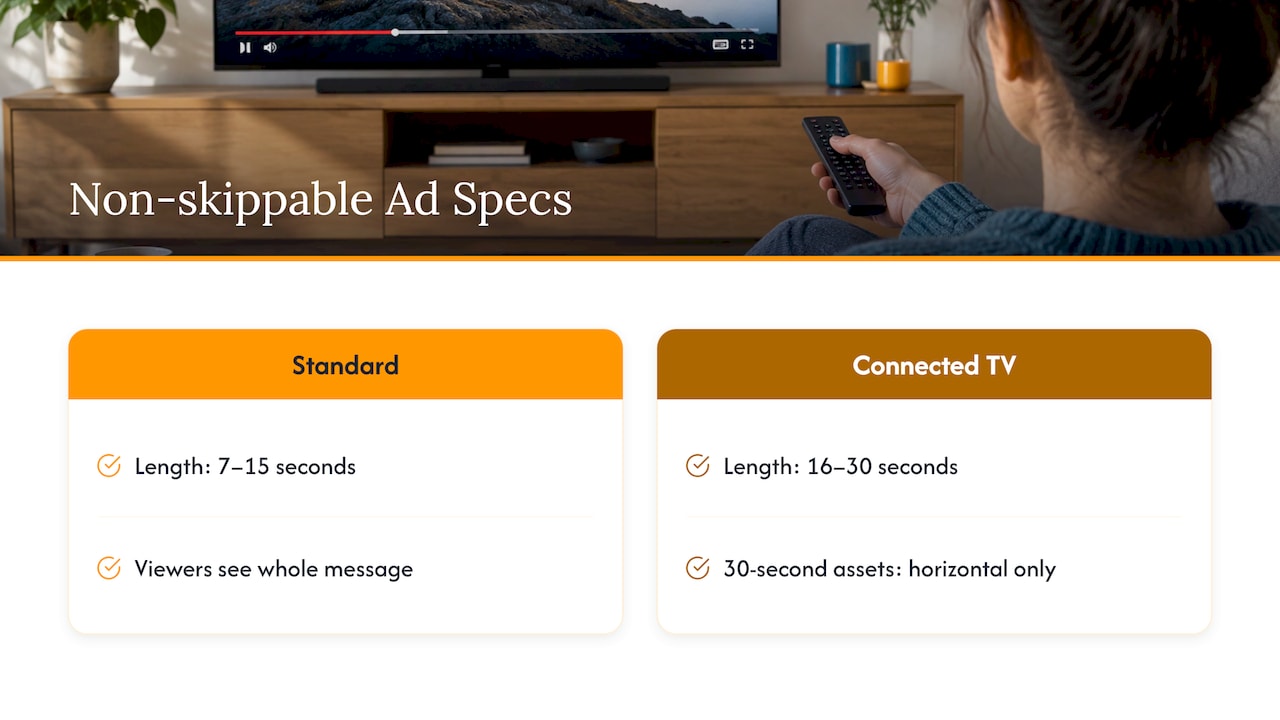
Google frames the difference this way: non-skippable ads make sure viewers see the whole message, while skippable ads show you who is paying attention. If your claim needs the full sentence to make sense, such as a price, a medical service description or a legal disclaimer, non-skippable is the format built for it.
Skippable in-stream ads
Skippable in-stream ads have no minimum or maximum length. Google’s guidance is to match length to your goal: 15 to 20 seconds for awareness and 2 to 3 minutes for consideration.
That gives you room for something closer to a story. If you are weighing how long a message should run, our guide to explainer video length walks through the trade-offs. For the wider range of video styles you might brief, see brand video types and workflows.
YouTube Shorts ads
For video reach campaigns, Google recommends Shorts assets be vertical and 6 to 60 seconds long. Vertical video is used mainly for Shorts, though it can sometimes serve on skippable in-stream inventory too. That second point is a good argument for building vertical cuts even when Shorts is not your main placement.
The creative side matters as much as the spec. Shorts viewers swipe fast, so lead with the visual hook in the opening second and keep text away from the edges.
Masthead
Masthead ads sit at YouTube’s entry point. They have no maximum length, and Google recommends videos longer than 10 seconds. They are typically booked as a premium, high-reach placement, so confirm availability and process with your Google representative or media partner.
Thumbnails, companion banners and safe zones
The video file is only part of the package. Google’s spec page also lists these supporting assets:
- Thumbnails: 1280 x 720 px, 16:9, file size under 2 MB.
- Desktop companion banners: 300 x 60 px, maximum file size 150 KB.
- Safe zones: use Google’s universal safe zones so that essential visuals are not covered by interface elements.
All three come from the Google Ads Help spec page. Treat safe zones as a design rule, not a last-minute check. Place logos, prices, subtitles and calls to action well inside the frame. A cropped phone number or half-hidden logo is the most common reason an otherwise polished ad underperforms.
Which size and format to choose
A quick decision guide:
- Need the entire message heard? Choose non-skippable in-stream (7 to 15 seconds), or bumpers for a single idea.
- Building awareness on a budget? Use skippable in-stream at 15 to 20 seconds, with bumpers to extend frequency.
- Want mobile-first, scrolling audiences? Create vertical 9:16 for Shorts.
- Targeting living-room screens? Plan horizontal 16:9, and consider the 30-second non-skippable CTV format. Our Connected TV advertising guide covers how that channel fits a brand plan.
- Mixing everything in one campaign? Video reach campaigns can combine bumper, skippable in-stream, in-feed and Shorts ads, as Google describes, so supply horizontal and vertical versions.
A worked example
Say a regional dental group wants to promote a new-patient offer. One practical package from a single shoot might be:
- A 15-second horizontal ad with the offer stated clearly, for skippable and non-skippable in-stream.
- A 6-second horizontal bumper that shows the office exterior and the practice name.
- A 20-second vertical cut for Shorts, with the hook in the first second.
- A 1280 x 720 thumbnail and a 300 x 60 companion banner with the same offer.
That is four deliverables from one day of footage, and every one meets the published spec.
A production workflow that avoids rework
Most spec headaches come from deciding formats after the edit is locked. Reverse that order.
- Pick the placements first. Decide whether you are running in-stream, bumper, Shorts or CTV before the shoot.
- Shoot wide, frame for both. Capture in a way that lets you crop to 9:16 and 1:1 without losing the subject.
- Mark safe zones in the edit template. Keep text and logos inside them in every ratio.
- Export one master per ratio. Use 1080p and a recommended or accepted format.
- Cut lengths from the master. 6, 15 and 30 seconds, with the story rebuilt for each length rather than simply trimmed.
- Check before upload. Confirm orientation against the format (30-second non-skippable must be horizontal), file type, and thumbnail and banner sizes.
Once live, test versions against each other. Our piece on ad creative testing shows a disciplined way to compare hooks, lengths and calls to action without muddying the data.
Measuring whether the right spec is working
A correctly sized ad is only the entry ticket. The harder question is whether YouTube is driving business results beyond what you would have gotten anyway. Methods such as incrementality and media-mix modeling help answer that at the budget level, and they pair well with a clear measurement plan. We lay out ours in the campaign analytics framework: one KPI, daily attribution and monthly media-mix modeling.
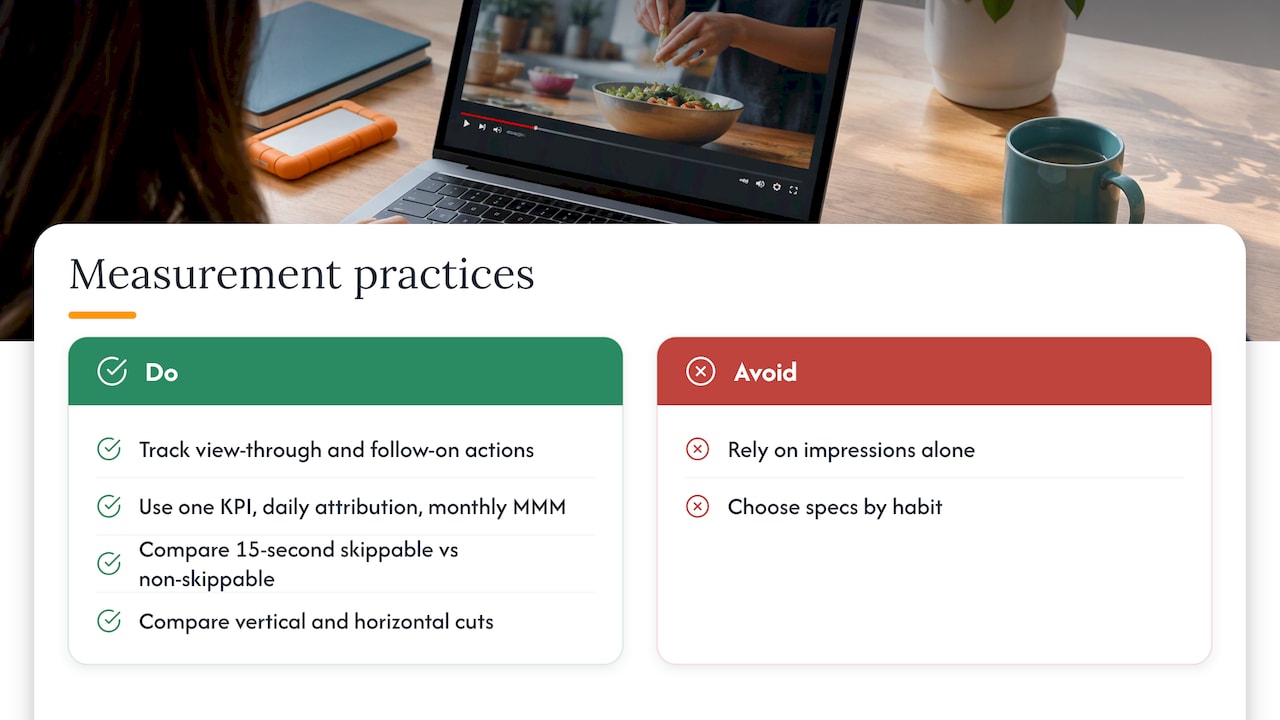
For video, track view-through behavior and the actions that follow, not only impressions. Compare a skippable 15-second cut with a non-skippable 15-second cut, and a vertical cut against a horizontal one, so spec choices become evidence rather than habit.
Common mistakes to avoid
- Uploading square or vertical files for a 30-second non-skippable ad. It must be horizontal.
- Submitting audio-only files. MP3, WAV and PCM are not accepted.
- Using standard definition. Google recommends against it.
- Placing key text near the edges. Safe zones exist for a reason.
- Treating the bumper as a shortened commercial. Six seconds needs its own idea.
- Forgetting the companion banner and thumbnail. They are small files but are part of the final package.
Work with a team that handles the specs for you
Keeping every cut, ratio and placement in line with Google’s rules takes coordination between creative, media and measurement. At The Artist Evolution, our in-house team covers strategy and execution, from video concepts through campaign management and reporting. If you want help running YouTube and wider search campaigns, see our pay-per-click management and Google Ads management services, or start with a marketing assessment.

Tell us your goal, and we will help you choose the formats, build the creative once and report on what it delivers.
Our perspective on YouTube ad specs
Specs are the easy part of YouTube advertising. They are published, they are specific, and once your team has a checklist, you rarely get them wrong twice.
What separates strong campaigns is what happens before the export button. We start with the business goal, pick the placements that serve it, and design the creative for those placements from day one. A single idea gets built as a 6-second bumper, a 15-second in-stream cut and a vertical version, not as one long ad chopped up afterward.
That is why we work as an extension of your team, with strategy, creative and media under one roof. When the people who write the concept also know the format rules and read the reports, the feedback loop is short and the budget works harder.
If your video ads are going live without a measurement plan, start there. Specs make an ad eligible to run. Strategy makes it worth running.
Derek
FAQ
What is the best size for a YouTube ad?
For horizontal video, 1920 x 1080 pixels (16:9) at 1080p is the recommended size. Vertical is 1080 x 1920 and square is 1080 x 1080. Google supports all three, so choose by placement.
How long can a YouTube bumper ad be?
Bumper ads run up to 6 seconds and cannot be skipped. Cut yours to 6 seconds or less, and build it around a single message so it works without sound or context.
What file format should I upload for a YouTube ad?
Google recommends .MPG (MPEG-2 or MPEG-4), and it also accepts MP4, MOV, AVI, WMV, WebM, ProRes and HEVC, among others. Audio-only files such as MP3 and WAV are not accepted, so add a video track.
Can I run a vertical video as a YouTube ad?
Yes. Vertical 9:16 at 1080 x 1920 is the recommended orientation for Shorts ads, which Google suggests keeping between 6 and 60 seconds. The exception is the 30-second non-skippable format, which needs a horizontal asset.
What are the thumbnail and companion banner sizes?
Thumbnails are recommended at 1280 x 720 pixels, 16:9, under 2 MB. Desktop companion banners are recommended at 300 x 60 pixels with a maximum file size of 150 KB.
Sources
- About video ad specs, Google Ads Help
- Video reach campaigns, Google Ads Help
- Non-skippable in-stream ads, Google Ads Help
- Skippable in-stream ads, Google Ads Help
- About video ad formats, YouTube Help