
The single most effective thing your team can do for campaign data quality is adopt a controlled-vocabulary UTM convention right now: lowercase values, hyphens as the only delimiter, closed enumerations for utm_source and utm_medium, a structured campaign pattern like {year}-{quarter}-{program}-{tactic}, and an automated link builder that enforces all of it at creation time.
Here is a copy-ready example you can use today:
https://example.com/landing?utm_source=linkedin&utm_medium=social&utm_campaign=2026-q2-brand-awareness-video&utm_content=carousel-v1
Three actions to take before your next campaign launches:
- Lock your source and medium values. Define a short list of approved values—between 6 and 20 for medium, and between 10 and 20 for source—and publish them in a shared doc no one can edit without approval.
- Build or adopt a validated link-builder template. A Google Sheets template with dropdown validation or a tool that enforces slug transforms eliminates most human error at the point of creation.
- Add the convention to your team wiki. A one-page reference that answers “what source value do I use for LinkedIn ads?” removes the guesswork that causes fragmentation.
UTM naming conventions are a data-governance discipline. The naming itself matters far less than the consistency and the enforcement mechanism behind it.
Table of Contents
- What do the five UTM parameters actually track?
- Why inconsistent UTM naming destroys your data
- Which UTM naming model fits your team?
- The UTM best-practices checklist your team should enforce
- How to debug UTM problems and clean up historical data
- How to roll out UTM governance across your team
- What features should you look for in a UTM link-building tool?
- Sector-specific UTM templates for retail, SaaS, and B2B services
- How UTM parameters map to GA4 channel groupings
- Expert guidance on field lengths, automation trade-offs, and enforcement
- Key Takeaways
- Why governance beats clever naming every time
- Theartistevolution brings campaign governance to your full marketing stack
- Authoritative sources and templates to consult
What do the five UTM parameters actually track?
Every UTM tag is built from up to five standard parameters. Three are required for meaningful GA4 attribution; two are conditional or optional.

utm_source identifies the platform or publisher sending the traffic. Think linkedin, google, newsletter. This is the first dimension you check when asking where a visitor came from.
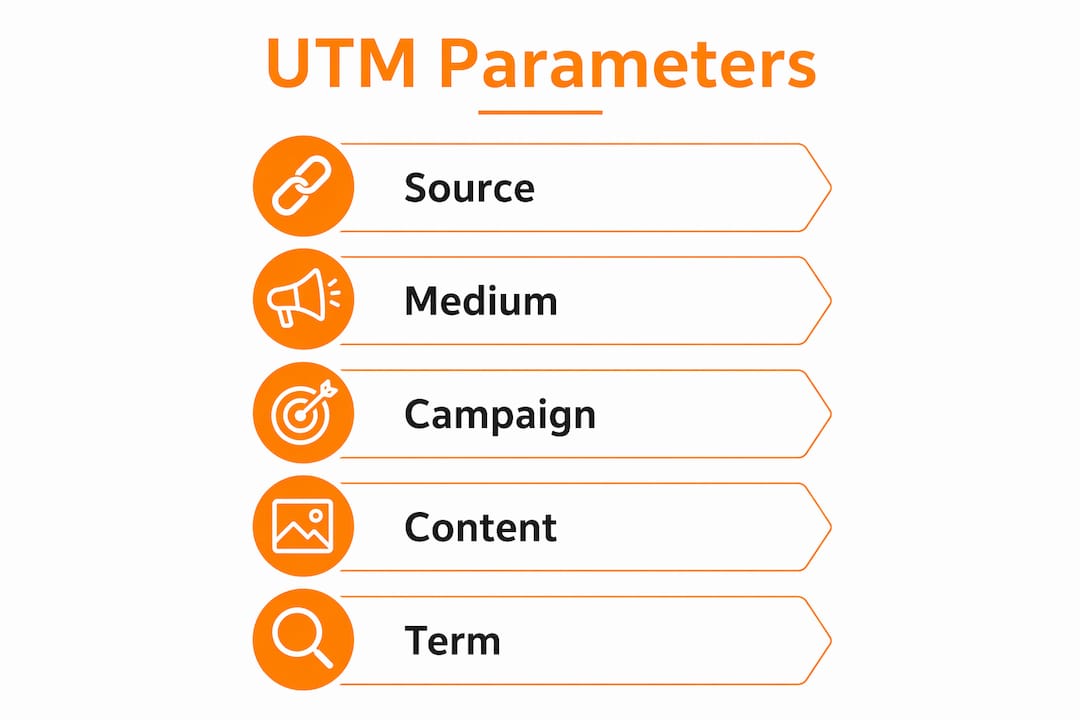
utm_medium describes the channel type: cpc, email, social, display. GA4’s Default Channel Grouping uses regex matching on this field to classify sessions, so the values you choose here directly determine whether traffic lands in the right channel bucket or falls into “Unassigned.”
utm_campaign names the specific initiative driving the traffic. A well-structured value like 2026-q2-product-launch tells you the year, quarter, and program at a glance in any acquisition report.
utm_content differentiates creative variants within the same campaign. Use it to distinguish carousel-v1 from carousel-v2, or a header banner from a footer link in an email. This keeps campaign names clean and short rather than encoding creative detail into a field that should stay readable.
utm_term was designed for paid search keyword tracking. Outside of that context, it can serve as a fifth dimension for differentiation, but most teams should leave it empty unless they have a specific reporting need.
For GA4 attribution, utm_source, utm_medium, and utm_campaign are the non-negotiables. The utm_id parameter is worth adding when you plan to import cost data via the GA4 cost data import feature, since it acts as the join key between your ad platform exports and GA4 session data. A URL carrying all five looks like this:
https://example.com/?utm_source=google&utm_medium=cpc&utm_campaign=2026-q3-retargeting&utm_content=banner-300x250&utm_term=marketing+agency
Why inconsistent UTM naming destroys your data
The damage from inconsistent tagging is not theoretical. facebook, Facebook, and fb are three separate source values in GA4. Each one creates its own row in your acquisition reports, splitting what should be a single channel’s performance across three unrelated entries. Multiply that across a team running campaigns over an extended period, and you have a dataset that cannot support reliable ROAS calculations or channel-level budget decisions.

This is called semantic drift: team members inventing or misremembering values because there is no enforced reference. It is the single biggest cause of UTM fragmentation, and it compounds over time. Practitioners estimate that adopting lowercase alone eliminates roughly 30% of taxonomy drift, because case inconsistency is the most common source of duplicate values.
The downstream consequences go beyond messy reports. If your paid social traffic is split across four source variants, your ROAS calculation for that channel is wrong. Budget decisions made on that data are wrong. And because GA4 stores historical data as it was received, there is no retroactive fix for raw event logs unless you have a BigQuery export configured and the engineering time to reprocess it.
The cost of cleanup is real. Analytics teams regularly spend hours each month writing mapping tables and SQL to normalize historical UTM values that should have been consistent from day one.
Analytics discipline is directly tied to better marketing ROI. Fragmented UTM data is one of the most common reasons that connection breaks down.
Which UTM naming model fits your team?
Three canonical models exist for structuring UTM values. Each one makes different trade-offs between human readability, machine parseability, and governance overhead.
Cryptic (ID-based)
Values are short codes or IDs: utm_campaign=cmp-0042. Compact and unambiguous, but meaningless without a lookup table. A human reading a tagged URL in a spreadsheet gets no context.
Example URL:
https://example.com/?utm_source=li&utm_medium=soc&utm_campaign=cmp-0042&utm_content=cr-007
Positional (fixed-segment)
Values follow a fixed structure where each segment’s position carries meaning: utm_campaign=2026-q2-brand-video. Position 1 is always the year, position 2 is always the quarter, and so on. Readable and parseable with a simple regex split on the delimiter.
Example URL:
https://example.com/?utm_source=linkedin&utm_medium=social&utm_campaign=2026-q2-brand-video&utm_content=carousel-v1
Key-value (self-describing)
Each segment is a labeled pair: utm_campaign=yr:2026-qt:q2-prog:brand-tct:video. Fully self-describing, but verbose and harder to read quickly. Best suited for large enterprise teams with automated parsing pipelines.
Example URL:
https://example.com/?utm_source=linkedin&utm_medium=social&utm_campaign=yr:2026-qt:q2-prog:brand-tct:video&utm_content=fmt:carousel-ver:v1
| Dimension | Cryptic | Positional | Key-value |
|---|---|---|---|
| Human readability | Low | High | Medium |
| Parsing complexity | Requires lookup table | Simple regex split | Moderate regex |
| URL length | Short | Medium | Long |
| Best for | Large enterprise with BI tooling | Most teams (recommended default) | Enterprise with automated pipelines |
| Governance overhead | High (lookup table maintenance) | Medium | High (label consistency) |
For most marketing teams, the positional model hits the right balance. It is readable in GA4 UIs, parseable in BigQuery with a SPLIT() or regex, and enforceable with a simple template. The three canonical models are well-documented, and the positional approach scales from a two-person startup to a mid-size agency without requiring a separate lookup infrastructure.
Pro Tip: Consider a hybrid: use static controlled values for utm_source and utm_medium (cryptic or positional, locked to an enum) and positional structure for utm_campaign and utm_content. This gives you the governance benefits of closed enumerations on the fields that matter most for channel grouping, while keeping campaign names human-readable.
The UTM best-practices checklist your team should enforce
These rules are non-negotiable. Copy them into your team documentation and treat any link that violates them as a build error.
- Lowercase everything, always. GA4 treats
Emailandemailas different values. No exceptions, no mixed case, no title case in campaign names. - Use a single delimiter. Hyphens are the recommended standard for readability and robust parsing in BigQuery. Never mix hyphens and underscores within the same tagging system.
- No spaces or special characters. Spaces encode as
%20in URLs and break parsing. Stick to lowercase letters, numbers, and hyphens. - Latin characters only. Non-ASCII characters in UTM values cause encoding issues across platforms and warehouses.
- Lock
utm_sourceandutm_mediumto approved enumerations. A short controlled vocabulary of between 6 and 20 medium values and between 10 and 20 source values is workable for most B2B teams. No one adds a new value without updating the approved list. - Align
utm_mediumwith GA4 Default Channel Groupings. Usecpcfor paid search (notppc, notpaid-search),emailfor email campaigns,socialfor organic social,displayfor display advertising. Wrong medium values push sessions into “Unassigned.” - Structure campaign names with date codes. Patterns like
2026-q2-product-launchor2026-06-summer-salemake year-over-year reporting straightforward and prevent identical-looking campaign names across years. - Keep campaign names under 50 characters. Longer names truncate in GA4 UIs and make reports harder to scan.
- Use
utm_contentfor creative variants, notutm_campaign. Encoding creative detail into the campaign name bloats it and makes filtering harder. - Document before you launch. A convention that lives only in someone’s head is not a convention.
Dos and don’ts at a glance:
| Do | Don’t |
|---|---|
utm_source=linkedin |
utm_source=LinkedIn or utm_source=li |
utm_medium=cpc |
utm_medium=PPC or utm_medium=paid-search |
utm_campaign=2026-q2-brand-video |
utm_campaign=Brand Video Q2 2026 |
utm_content=carousel-v1 |
utm_campaign=brand-video-carousel-v1 |
How to debug UTM problems and clean up historical data
Most UTM data quality problems fall into four categories: case inconsistency, swapped utm_source and utm_medium values, semantic drift in campaign names, and missing parameters. Here is a compact workflow for finding and fixing each one.
Finding problems in GA4 and BigQuery
In GA4, open Reports > Acquisition > Traffic Acquisition and look for unexpected source/medium combinations. Filter for (not set) medium values, which signal untagged traffic. In BigQuery, run a query against events_* that groups by utm_source and utm_medium and counts distinct values. Any field with more than your approved enum count has drift.
A quick SQL pattern to surface variants:
SELECT
  (SELECT value.string_value FROM UNNEST(event_params) WHERE key = 'source') AS source,
  COUNT(*) AS sessions
FROM `your_project.analytics_XXXXXX.events_*`
WHERE _TABLE_SUFFIX BETWEEN '20260101' AND '20260630'
GROUP BY 1
ORDER BY 2 DESC
Sort by session count and scan for near-duplicates: facebook vs Facebook vs fb, cpc vs ppc vs paid-search.
Remediating historical data
For BigQuery exports, the cleanest approach is a mapping table rather than rewriting raw data. Create a lookup table that maps every observed variant to its canonical value:
-- mapping_table
source_raw        | source_canonical
facebook          | facebook
Facebook          | facebook
fb                | facebook
Join this table to your reporting queries so historical data reads correctly without touching the raw event log. This preserves data integrity while making reports accurate going forward.
For GA4 standard reports, you cannot rewrite historical data. The practical options are: apply a mapping layer in your BI tool (Looker Studio, Tableau, Power BI), use GA4’s channel grouping customization to reclassify sessions by regex, or accept the historical mess and mark a clean-start date in your documentation.
When to do a one-time cleanup project: If more than 20% of your sessions carry non-canonical values and you have a BigQuery export, a one-time normalization pass is worth the engineering time. If the fragmentation is minor or the data is more than 18 months old, apply a mapping layer and move on. The goal is accurate reporting from today forward, not perfect historical data.
Common UTM tagging mistakes like swapped source/medium fields are worth checking explicitly. A session tagged utm_source=cpc&utm_medium=google is backwards and will misclassify in GA4’s channel grouping. Search for any source value that matches a known medium enum and vice versa.
How to roll out UTM governance across your team
Governance turns a naming convention from a document into a system. The goal is to make the correct behavior the easiest behavior, so that following the convention requires less effort than breaking it.
- Document the convention. Write a one-page reference that lists every approved
utm_sourcevalue, every approvedutm_mediumvalue, the campaign naming pattern, and the delimiter rule. Publish it somewhere every team member can find it in under 30 seconds. - Lock the enumerations. The source-of-truth document should be read-only for everyone except the designated convention owner. New values require a formal addition request, not an improvised decision at link-creation time.
- Build a validated link-builder template. A Google Sheets template with dropdown validation for source and medium, a formula that assembles the campaign name from structured inputs, and a
LOWER()transform on all fields eliminates most human error. Tools like UTM.io enforce these rules at the platform level with multi-user access controls. - Train the team. A 20-minute onboarding session covering the five parameters, the approved value lists, and how to use the link builder is enough for most teams. Record it for future hires.
- Monitor and audit monthly. Run the BigQuery variant query (or a GA4 custom report) once a month to catch drift before it compounds. A monthly audit paired with an automated link builder is the practitioner-recommended minimum.
Roles and responsibilities
| Role | Responsibility |
|---|---|
| Convention owner | Approves new source/medium values, maintains the source-of-truth doc |
| Campaign manager | Uses the approved link builder, flags edge cases to the owner |
| Analytics lead | Runs monthly audits, maintains the BigQuery mapping table |
| New team members | Complete onboarding before creating any tagged links |
Template: approved value lists
APPROVED utm_medium VALUES:
cpc | email | social | display | affiliate | referral | video | push

APPROVED utm_source VALUES:
google | linkedin | facebook | twitter | newsletter | partner-[name] | direct-buy

CAMPAIGN NAME PATTERN:
{year}-{quarter}-{program}-{tactic}
Example: 2026-q2-brand-awareness-video
Automated link builders that apply slug transforms and refuse non-approved values move enforcement to the point of creation, which is the only place where errors can be stopped before they enter your data.
What features should you look for in a UTM link-building tool?
The right tooling depends on team size, technical resources, and how much governance overhead you can sustain. Here is what to evaluate.
Controlled-vocabulary enforcement is the most important feature. A tool that presents dropdowns for utm_source and utm_medium and refuses free-text input eliminates semantic drift at the source. Without this, any tool is just a convenience wrapper around the same human-error problem.
Lowercase and slug transforms should happen automatically. The tool should convert any input to lowercase and replace spaces with hyphens before generating the URL, not rely on the user to remember the rules.
Multi-user access controls matter for agencies and larger teams. You need to be able to restrict who can add new approved values and who can only use existing ones.
Reporting exports compatible with GA4 and BigQuery let you cross-reference generated links against actual traffic, which is the foundation of a useful audit workflow.
Link-shortening integration is a secondary consideration, but a shortener that validates UTM structure before shortening adds a useful checkpoint.
UTM.io is a purpose-built UTM management platform that enforces naming conventions, provides team-level access controls, and integrates with GA4 reporting. It addresses the controlled-vocabulary problem directly and is well-suited for teams that need a hosted solution without building their own Sheets infrastructure.
Improvado and Funnel operate at the data aggregation layer, pulling UTM-tagged data from multiple ad platforms into a unified reporting environment. They are most valuable when you need to normalize UTM data across platforms after the fact, or when you are running cross-channel attribution that requires a consistent taxonomy across sources.
Google Analytics 4 itself provides the reporting surface where UTM conventions either pay off or expose their gaps. GA4’s Default Channel Grouping, custom channel groups, and the BigQuery export are the three places where your naming decisions become visible as either clean, actionable data or fragmented noise.
For teams with strong spreadsheet skills and limited budget, a well-built Google Sheets template with LOWER() formulas, dropdown validation, and a CONCATENATE() URL builder covers 80% of the governance problem. The trade-off is manual maintenance of the approved value lists and no enforcement outside the sheet.
Sector-specific UTM templates for retail, SaaS, and B2B services
Different business models have different campaign structures. These templates are ready to adapt.
Retail
Retail campaigns often run on seasonal cycles with product-category specificity. Include the season or sale event, the year, and the product category.
- Pattern:
{season}-{year}-{category}-{tactic} - Good:
utm_campaign=summer-2026-apparel-email-promo - Bad:
utm_campaign=Summer Sale Apparel 2026 utm_content: Use for creative variants (banner-300x250,hero-image-v2)- Note: Region belongs in
utm_contentor a CRM field, not the campaign name, unless you are running geo-specific campaigns that need separate reporting rows.
For omnichannel retail campaigns, Theartistevolution’s retail activation approach shows how consistent tagging across in-store and digital touchpoints produces reliable attribution data.
SaaS
SaaS campaigns typically map to funnel stages and product features. Include the funnel stage and the specific feature or use case being promoted.
- Pattern:
{year}-{quarter}-{funnel-stage}-{feature} - Good:
utm_campaign=2026-q3-trial-conversion-collaboration - Bad:
utm_campaign=Q3TrialConversionCollaboration2026 utm_content: Use for A/B test variants (cta-free-trial,cta-demo-request)- Note: Quarter belongs in the campaign name for SaaS because product roadmaps and pricing changes make year-over-year comparisons meaningful at the quarter level.
B2B services
B2B service campaigns often run across multiple clients or programs simultaneously. A client code prefix prevents campaign names from colliding across accounts.
- Pattern:
{client-code}-{year}-{program}-{tactic} - Good:
utm_campaign=acme-2026-q2-webinar-linkedin - Bad:
utm_campaign=webinar utm_content: Use for speaker variants or content formats (speaker-jones,format-panel)- Note: Leave revenue stage and deal size for CRM joins. The campaign name should identify the initiative, not encode the entire sales context.
Pro Tip: When a campaign runs across multiple platforms, keep utm_campaign identical across all of them and vary only utm_source and utm_medium. This lets you compare channel performance within a single campaign filter in GA4 without splitting the data across campaign rows.
How UTM parameters map to GA4 channel groupings
GA4’s Default Channel Grouping classifies sessions using regex matching on utm_medium and utm_source. Get the values wrong and your traffic lands in “Unassigned,” which makes channel-level analysis unreliable and inflates what looks like unexplained direct traffic.
The critical mappings:
utm_medium value |
GA4 Default Channel |
|---|---|
cpc |
Paid Search |
email |
|
social |
Organic Social |
display |
Display |
affiliate |
Affiliates |
referral |
Referral |
video |
Organic Video |
Using ppc instead of cpc, or paid-social instead of social, pushes those sessions into “Unassigned.” Many guides still recommend ppc as a valid medium value. GA4’s regex does not agree. The correct value for paid search is cpc, full stop.
Case inconsistency compounds this problem. A session tagged utm_medium=Email will not match GA4’s lowercase regex and may fall outside the expected channel bucket. Lowercase enforcement is not just a style preference; it is a functional requirement for accurate channel classification.
For BigQuery reporting, inconsistent delimiters create parsing headaches. A campaign name like 2026_q2-brand-video (mixed underscore and hyphen) will not split cleanly with a single SPLIT(campaign, '-') call. Consistent single-delimiter usage is what makes regex grouping reliable in warehouse queries.
Setup recommendation for GA4 and BigQuery:
- Create a custom channel group in GA4 that mirrors your approved
utm_mediumenum, so you can catch any value that falls outside your taxonomy. - In BigQuery, maintain a lookup table mapping raw UTM values to canonical values and channel groupings. Join it to every reporting query rather than hardcoding channel logic in SQL.
- Use
utm_idas the join key for cost data imports. Populate it with your ad platform’s campaign ID so GA4 can match imported cost data to sessions.
Tracking LLM-sourced traffic in GA4 follows the same channel-grouping logic: consistent medium values determine whether that traffic classifies correctly or disappears into “Unassigned.”
Expert guidance on field lengths, automation trade-offs, and enforcement
Campaign names should stay under 50 characters. GA4’s standard acquisition reports truncate longer values in the UI, making it impossible to distinguish campaigns at a glance. If your campaign name is hitting 60 or 70 characters, the excess detail belongs in utm_content or a CRM field, not the campaign name itself.
Date codes belong at the front of the campaign name, not the end. 2026-q2-brand-video sorts chronologically in any report. brand-video-2026-q2 does not. This is a small decision that pays off every time you filter or sort a campaign list.
The hybrid approach to dynamic parameters is the current practitioner consensus: keep utm_source and utm_medium static and controlled, and allow dynamic insertion for utm_campaign and utm_content where the ad platform is reliable. Dynamic campaign values from Google Ads or LinkedIn Campaign Manager are generally trustworthy if you have confirmed they match your naming pattern. Dynamic source and medium values from ad platforms are not trustworthy because platforms use their own terminology, which rarely matches your internal taxonomy.
Monthly audits are the minimum. A read-only source-of-truth document paired with an automated link builder handles day-to-day enforcement, but audits catch the edge cases: a new team member who built links outside the approved tool, a platform integration that injected unexpected parameter values, or a campaign that launched before the convention was updated to include a new source.
Pro Tip: Move enforcement as far left as possible. A link builder that refuses to generate a URL with a non-approved utm_medium value stops the error before it enters your data. A monthly audit catches errors after the fact. Both are necessary, but the builder does the heavy lifting.
Key Takeaways
Consistent UTM naming conventions require three things working together: a controlled vocabulary, automated enforcement at link creation, and a monthly audit to catch drift before it compounds.
| Point | Details |
|---|---|
| Lowercase and single delimiter | Use lowercase and hyphens throughout; case inconsistency alone accounts for roughly 30% of taxonomy drift. |
| Lock source and medium enums | Maintain between 6 and 20 approved medium values and between 10 and 20 approved source values in a read-only reference document. |
| Structure campaign names with dates | Use patterns like 2026-q2-program-tactic and keep names under 50 characters for readable GA4 reports. |
| Align medium values with GA4 | Use cpc, email, social, display to match GA4 Default Channel Groupings and prevent “Unassigned” traffic. |
| Theartistevolution for governance | Theartistevolution provides campaign management and UTM governance as part of full-service campaign strategy for teams that need enforcement built in from day one. |
Why governance beats clever naming every time
The most common failure mode in UTM management is not a bad naming convention. It is a good naming convention that lives in a Google Doc no one reads after the first week. Teams spend real time designing elegant, descriptive campaign name patterns, then abandon them the moment a campaign needs to launch fast and the link builder is not open.
What actually works in production is boring: a Sheets template with dropdowns that make the wrong choice harder than the right one, a single Slack channel where the convention owner approves new source values, and a monthly 15-minute audit that catches drift before it becomes a reporting crisis. The convention itself matters far less than the operational controls around it.
The other thing practitioners underestimate is the cost of being clever. Key-value models look sophisticated and self-describing. In practice, they require every team member to remember label names, maintain label consistency across campaigns, and resist the temptation to abbreviate. Positional models are less expressive but far more durable because the structure does the work, not the labels.
Theartistevolution has seen this pattern across 18 years of campaign management: the teams with the cleanest analytics data are not the ones with the most sophisticated naming conventions. They are the ones who picked a simple, enforceable system and never let anyone build a link outside of it.
Theartistevolution brings campaign governance to your full marketing stack
Inconsistent UTM data is a symptom of a broader campaign management gap. Theartistevolution’s campaign management services include UTM convention design, link-builder setup, and ongoing governance as part of every campaign engagement, so your analytics data is accurate from the first tagged link.

Working with clients across retail, healthcare, legal, and B2B services, Theartistevolution builds the operational infrastructure that keeps campaign data clean at scale:
- Convention design and documentation: A custom UTM taxonomy built around your channel mix and GA4 reporting structure.
- Automated link-builder setup: A validated template or tool integration that enforces lowercase, approved enumerations, and campaign name patterns at creation time.
- Ongoing audit and reporting: Monthly UTM audits paired with GA4 and BigQuery reporting that surfaces drift before it affects budget decisions.
If your current campaign data has fragmentation you cannot fully explain, a marketing assessment is the right starting point. Schedule a consultation with the Theartistevolution team to get a clear picture of where your tagging breaks down and what it would take to fix it.
Authoritative sources and templates to consult
These references provide deeper technical documentation, downloadable templates, and primary-source guidance for teams building or auditing their UTM conventions.
- Google Analytics Help: Collect campaign data with custom URLs — Google’s primary documentation on UTM parameter use, recommended practices, and cost data import via
utm_id. - The 2026 UTM Tagging Guide — Terminus Blog — A comprehensive dated reference covering lowercase rules, campaign name patterns, and GA4 alignment.
- UTM Naming Conventions: 8 Rules + Templates — LinkUTM — Practical checklist with delimiter guidance, campaign name templates, and a 50-character guideline for GA4 UIs.
- UTM Naming Conventions: Build a System Your Team Won’t Break — UTM Generator — Covers the three canonical naming models, controlled vocabulary recommendations, and enforcement patterns.
- UTM Parameters Best Practices: 21-Point Checklist — UTM.io — A detailed checklist covering all five parameters, team governance, and tool selection criteria.
- 18 UTM Tagging Mistakes and Errors to Avoid — DumbData — Practitioner-documented list of common mistakes including swapped fields, missing parameters, and inconsistent naming.
- UTM Tracking Parameters Guide: Setup and Best Practices — Cometly — Covers the hybrid static/dynamic approach and automation trade-offs for larger teams.
- UTM Naming Convention: Rules for Clean Campaign Data — Elido — Governance-focused guide with audit frequency recommendations and source-of-truth documentation patterns.
- Theartistevolution Campaign Governance Case Study — Real-world example of campaign-level structuring and consistent UTM values improving reporting clarity across a multi-channel engagement.